Make awesome videos by just asking.
Chat with Onano to cut long footage into clips or a finished video, add captions and voice-overs, and create animated motion graphics from one prompt with Claude or ChatGPT. Everything lands on a real timeline you can tweak.
Free on Windows · macOS is coming next
From long to short
10 clips — or the whole edit
Free editor forever
4K, no watermark
Your footage, your machine
No media upload
Claude Code
&
Codex
Integrated
Edit with Opus 5.5 and GPT-6 Astra
Your own Claude Code or Codex does the editing inside Onano, on the Claude or ChatGPT plan you already have. Included in every paid plan.
For people with long footage and more stories to publish
Video podcasts
Interviews
Founder content
Education
YouTube
Editors
Agencies
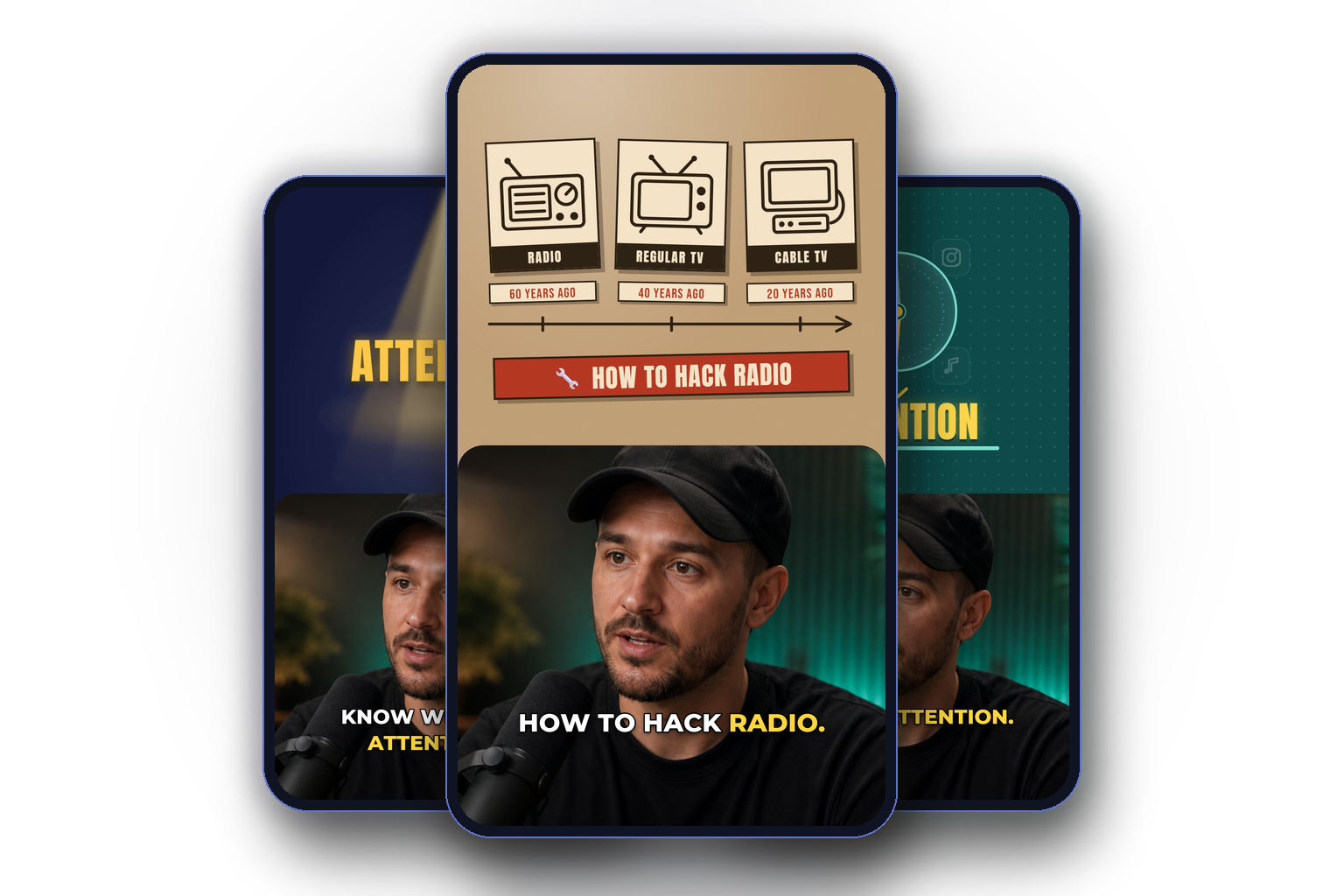
Motion graphics from one prompt
Describe what should appear, like a step-by-step, a chart or a title that flies in, and Claude or ChatGPT builds it as an animated graphic. It is timed to your words and placed on the timeline while you keep editing.
Describe it in one sentence; the AI designs and animates it
Timed to your words: each step appears as you say it
Over the shot, or split-screen with you framed on your face
Ask AI for the first cut. Keep control of every frame.
Let Onano do the repetitive work, then use the full editor for everything that still needs your judgement. AI and manual tools work on the same timeline, so you never have to accept a black-box result.
Find 10 moments worth publishing
Ask for hooks, stories, quotes or complete shorts. Each moment Onano finds becomes its own sequence, already cut, with a title, description and tags ready to upload.
Chat your way to a finished video
Describe the video you want and ask for a complete first edit. Then keep chatting to remove pauses, tighten the opening, build another version or add a title card. Every change appears on the real timeline and can be checked or undone.
Use the full editor for free
Cut, trim, arrange, add tracks, effects and colour yourself whenever AI is not the right tool. The editor stays free, exports in 4K and never adds a watermark.
Add captions people can follow
Create word-by-word captions with karaoke, pop, wipe and typewriter motion. Preview the style, adjust it and burn it into the final export.
Publish without another hand-off
Send finished clips directly to YouTube, TikTok and Instagram. Generate titles and descriptions from the transcript, then publish now or schedule them for later.
Explain it with motion graphics
Pick a stretch and say what to show. Onano designs an animated graphic timed to the words, over the shot or split-screen with the speaker, and puts it on the timeline.
Your long video does not use up an editing allowance
Opening, transcribing, editing, rendering and exporting happen on your machine. Those local actions do not burn AI credits because the source video is long. Credits move only when you ask a model to do work.
Onano Studio | Typical cloud editor | |
|---|---|---|
Getting started | Open the file — no media upload | Upload or import before editing |
Local editing | No input-minute allowance | Allowances vary by plan |
Manual control | A full timeline stays available | May depend on the editing plan |
Free export | 4K and never watermarked | Resolution, watermark or expiry limits |
Your footage | Remains on your computer | Processed or stored in the cloud |
Need more AI? | Use your own API key on paid plans | Top up, wait or upgrade |
The editor is free. Add AI when you want more done for you.
Every plan starts with the same promise: 4K exports, no watermark and no charge for the local edit. Paid plans add more AI and direct publishing. Already use an AI API? Connect your Anthropic or OpenAI key on a paid plan and pay the provider directly.
Free
EUR 0 / mo
The editor, forever
Full 4K, no watermark, 5 shorts suggestions free
Creator
EUR 19 / mo
~16 AI videos a month
Or use your own AI API key
Pro
EUR 39 / mo
~33 AI videos a month
Priority AI for busy weeks
Agency
EUR 99 / mo
~111 AI videos a month
More AI for teams and clients
Questions before you start
Is Onano Studio really free?
Yes. The editor is free with no time limit: cutting, captions, effects and 4K export, with no watermark. Paid plans only add more AI work and direct publishing.
Is my footage uploaded?
No. Your video files stay on your computer, and opening, transcribing, editing and exporting all happen there. When you ask the AI for help it gets what it needs for that task, mainly the transcript text, not your video files.
What do I need to run it?
A 64-bit Windows 10 or 11 PC. No graphics card is required. A Mac version is coming next; leave your email on the homepage to hear when it is out.
Why does Windows show a warning when I install it?
Windows SmartScreen warns about apps it has not seen many times yet. Click "More info" and then "Run anyway". The installer comes straight from onano.app.
Can I use my own Claude Code, Codex or API key?
Yes, on any paid plan. Your own Claude Code or Codex can edit inside Onano on the subscription you already have, or you can connect an Anthropic or OpenAI API key and pay the provider directly.
Can it publish to YouTube, TikTok and Instagram?
Yes. Connect your accounts and send finished clips straight from the editor, with titles and descriptions written from the transcript. Each platform still applies its own limits.